

One console for every Microsoft 365 tenant you manage
Posture, investigation and configuration in a single workspace, built around how engineers actually work across a multi-tenant estate.
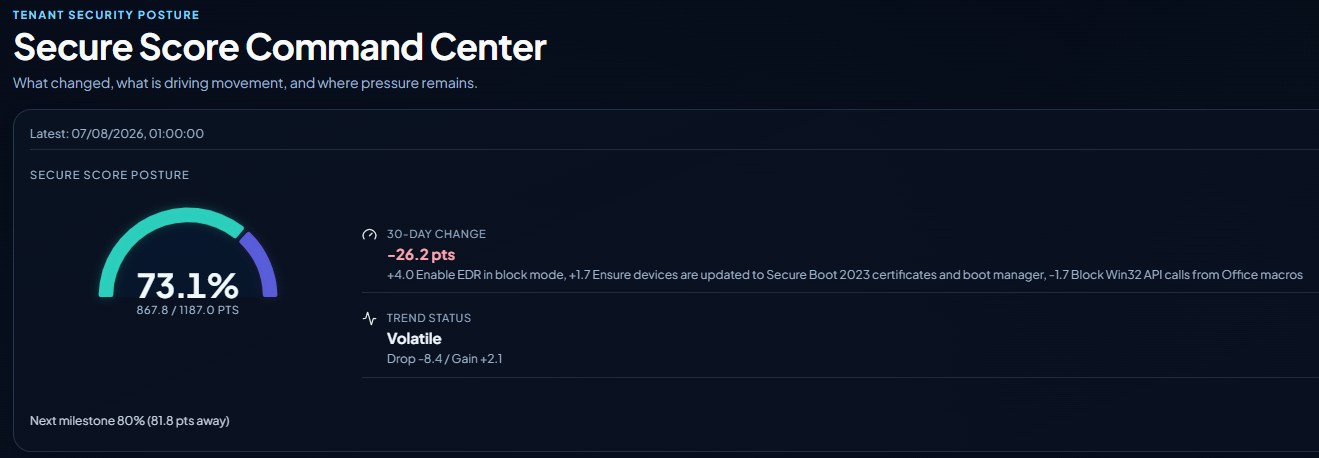
Secure Score Command Center
See the current score against the maximum available, what moved it over the last 30 days, and which controls drove the change. Trend status flags whether a tenant is improving steadily or swinging, and the next milestone shows exactly how many points remain.
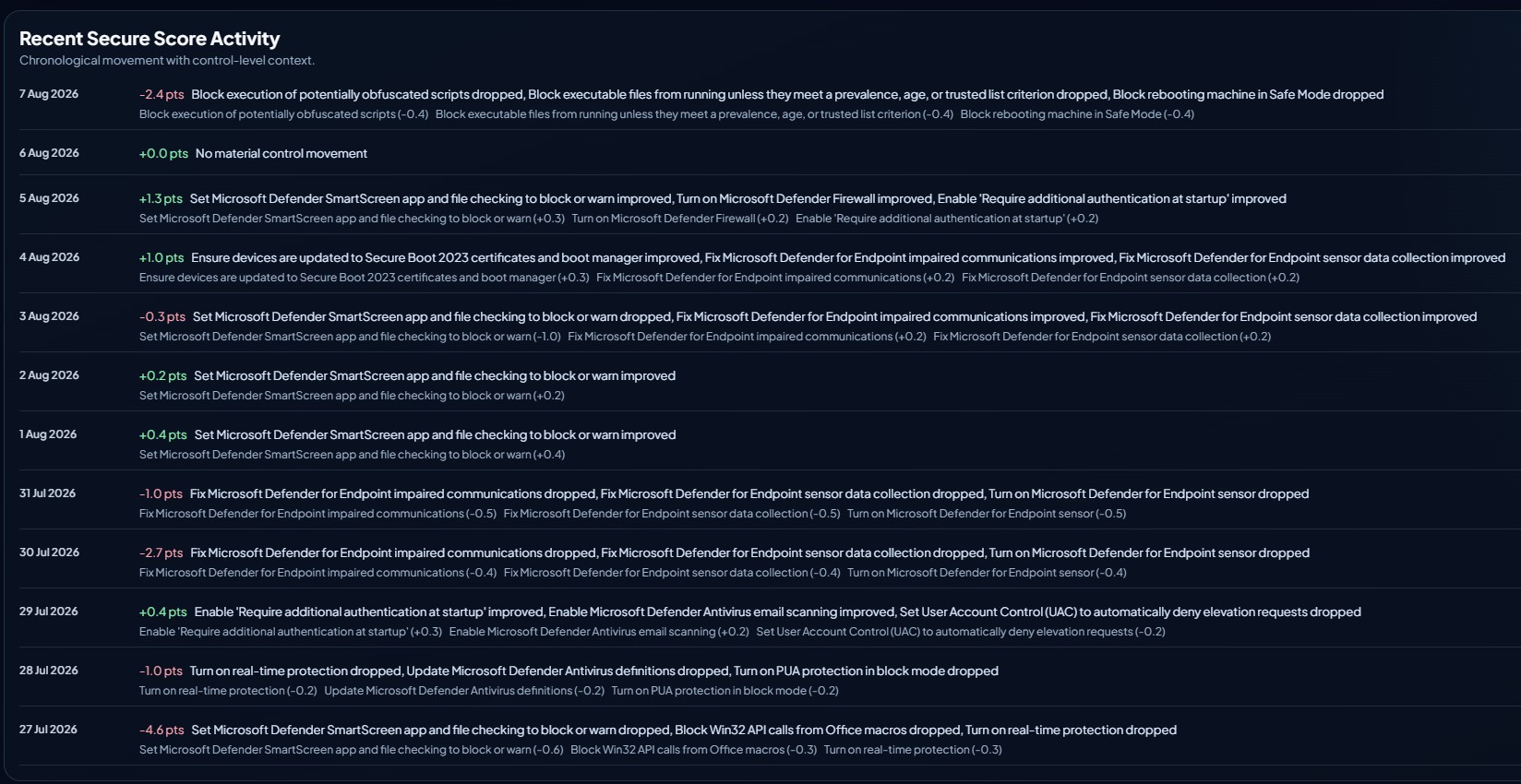
Control-level score history
Every daily movement, with the specific controls behind it and the points each one gained or lost. When a score drops, you can see whether real-time protection was turned off or Defender sensor data collection stopped reporting, rather than guessing.
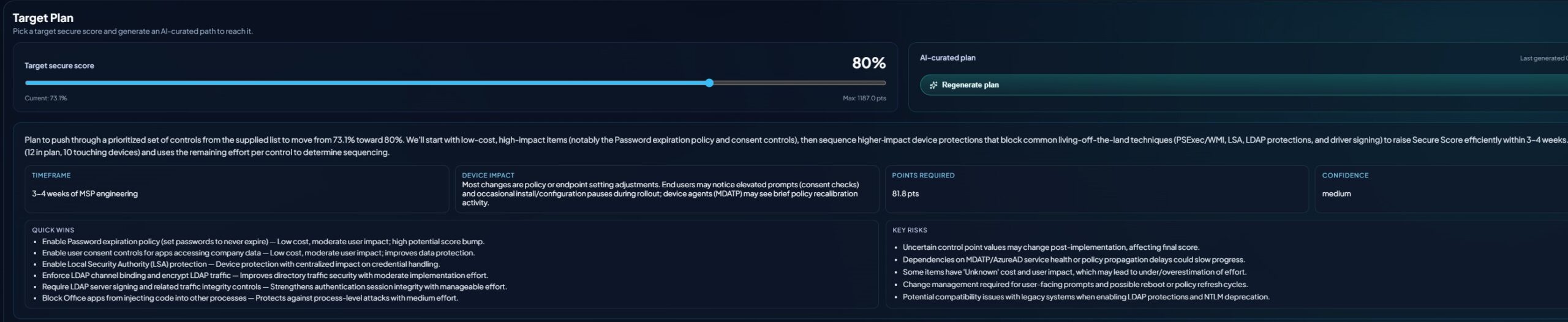
Target Plan
Set a target secure score and generate a prioritised, sequenced path to reach it. The plan estimates engineering timeframe, points required and confidence, then separates quick wins from the changes carrying real risk, including compatibility and change-management considerations.
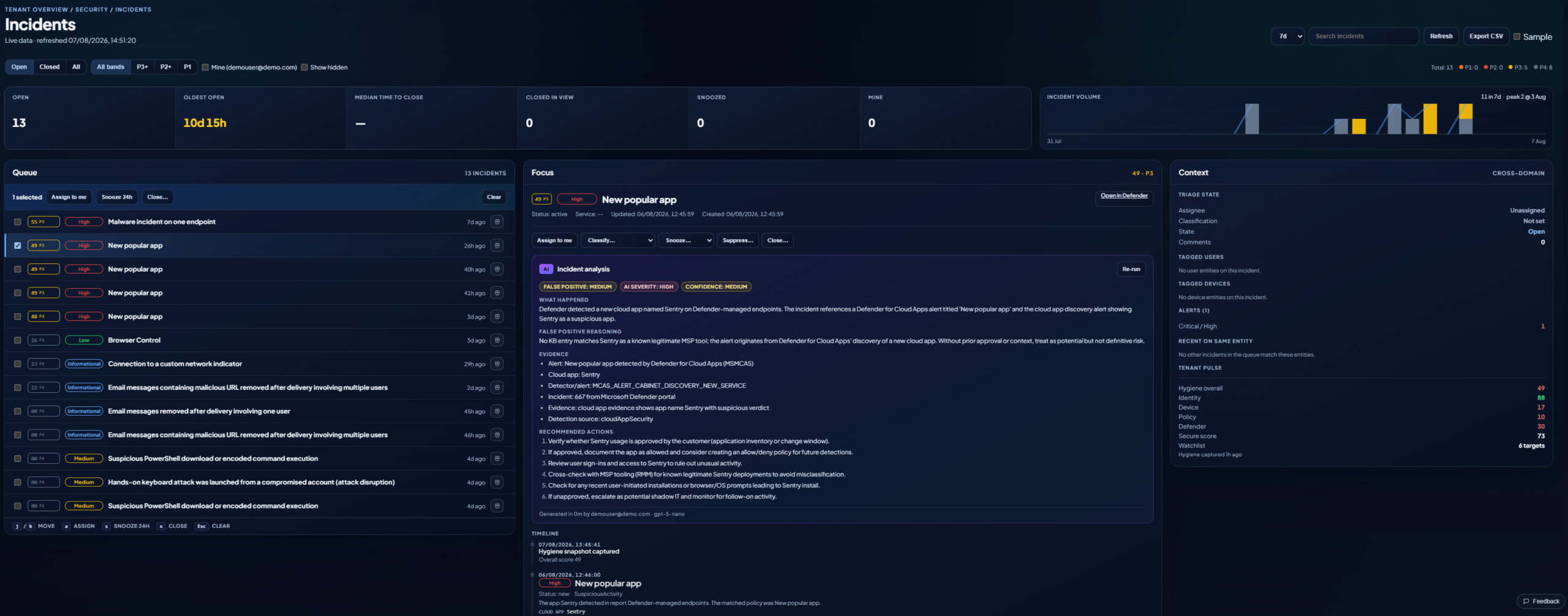
Incidents and alerts, triaged
A working queue banded by priority, with open counts, oldest open and median time to close. Every alert is analysed automatically: what happened, the reasoning behind a false-positive assessment, the supporting evidence and recommended next actions, alongside cross-domain context from the tenant's own hygiene signals. That analysis is built in. Microsoft Security Copilot delivers comparable triage support, but it is licensed separately and billed by provisioned compute, which puts it well beyond most mid-market budgets before a single alert is reviewed.
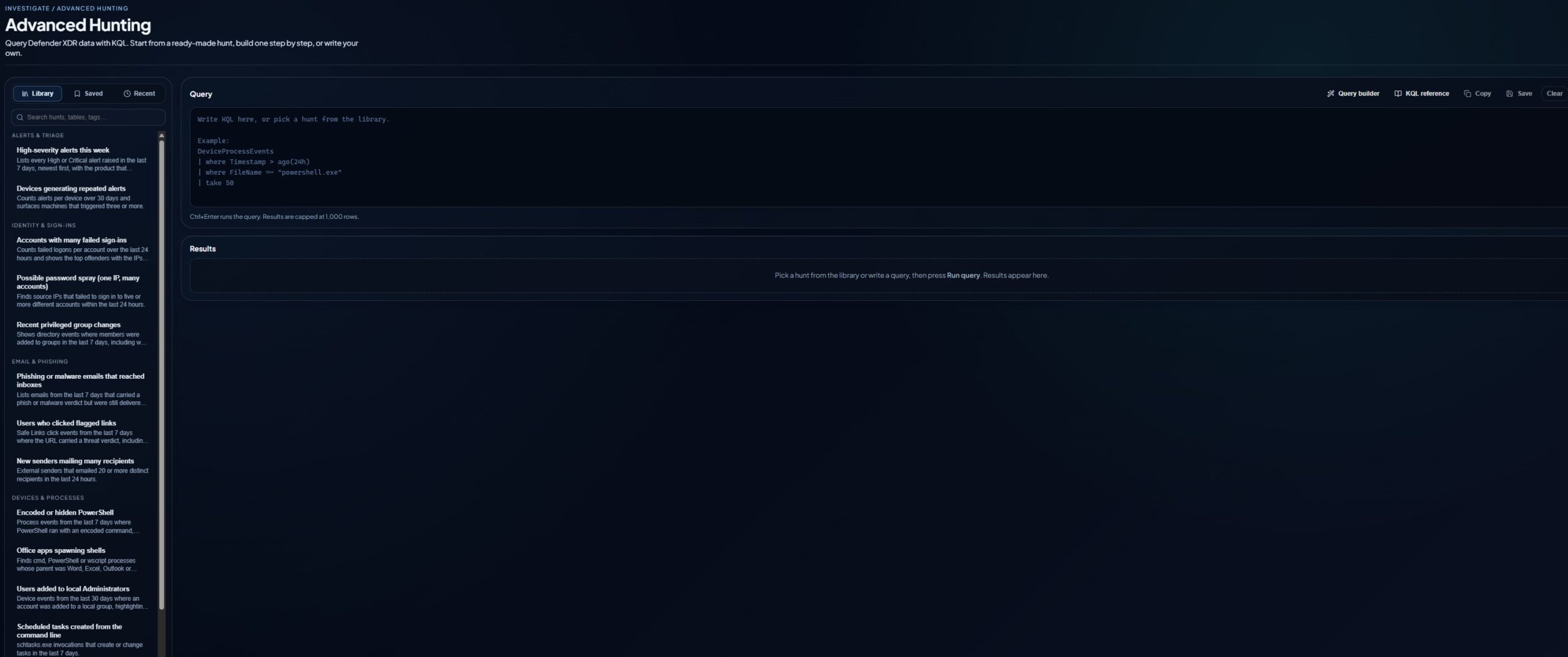
Advanced Hunting
Query Defender XDR data with KQL. Start from a ready-made hunt, build one step by step, or write your own. The library is organised by investigation type, covering alerts and triage, identity and sign-ins, email and phishing, and device and process activity.
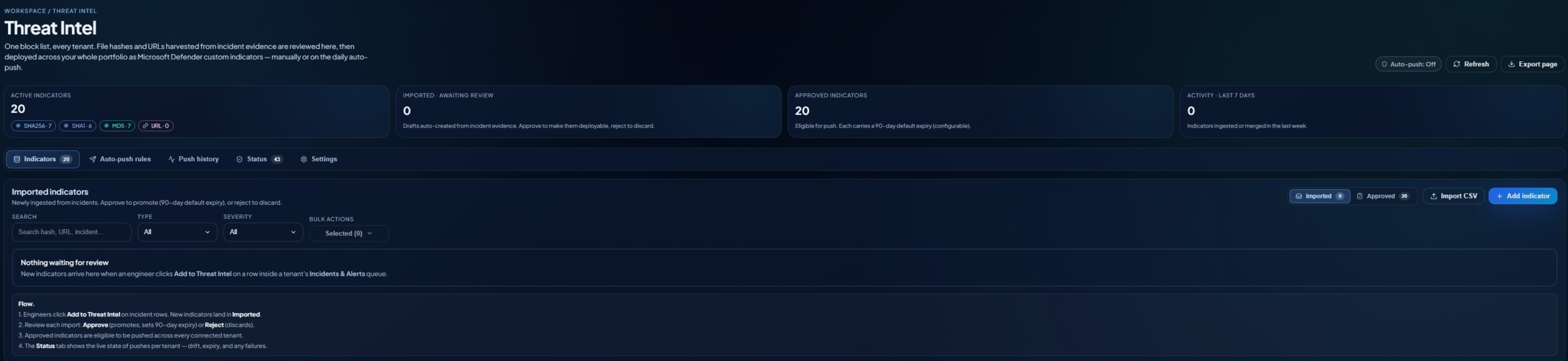
One block list, every tenant
File hashes and URLs harvested from incident evidence are reviewed in one place, then deployed across the whole portfolio as Microsoft Defender custom indicators, manually or on a daily auto-push. Approved indicators carry a default expiry, and the status view shows drift, expiry and failures per tenant.
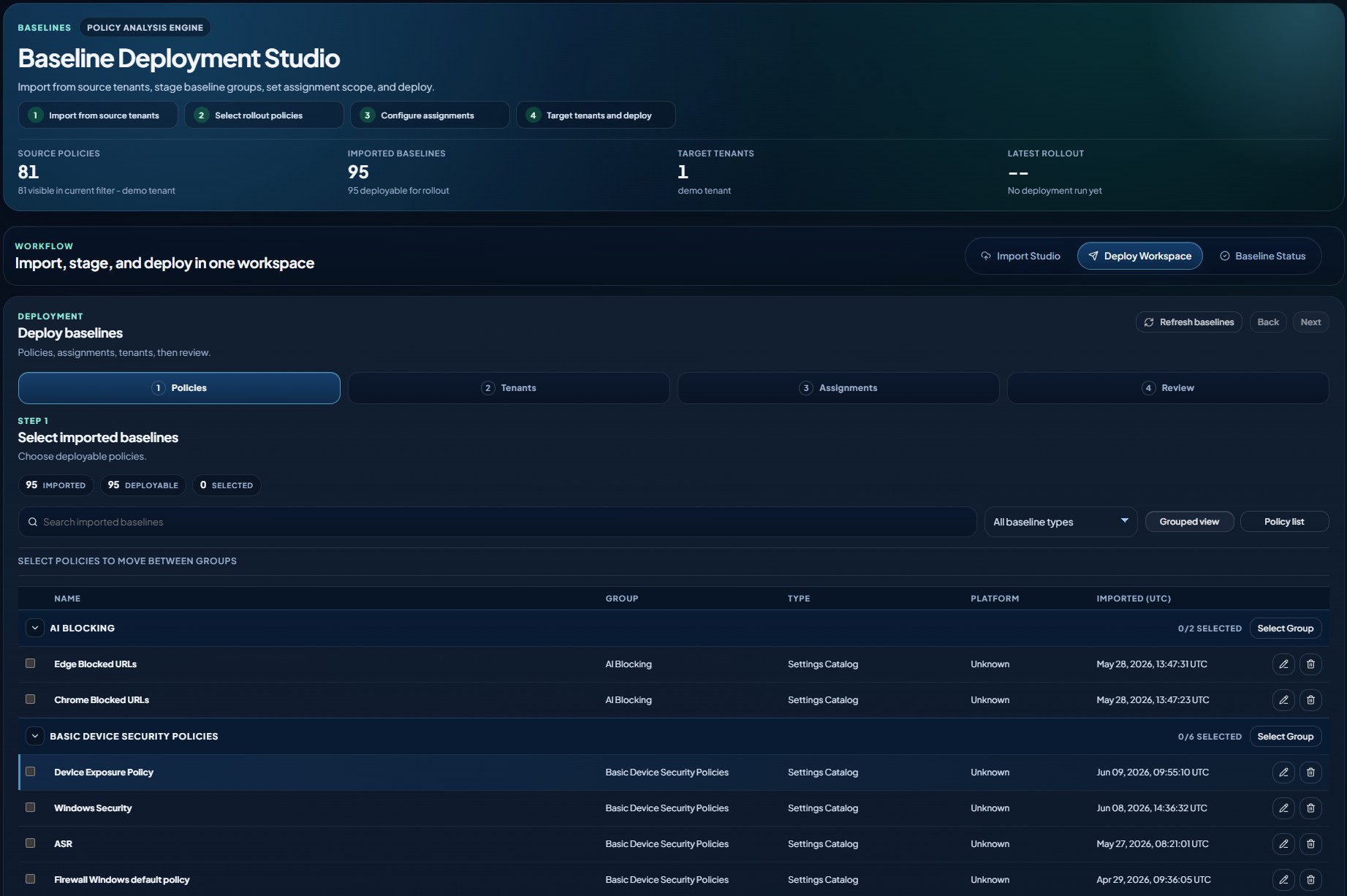
Baseline Deployment Studio
Import policies from a source tenant, stage them into baseline groups, configure assignment scope, then target tenants and deploy. Policies are grouped by purpose, tracked by type and platform, with import timestamps so you always know which version of a baseline is in play.
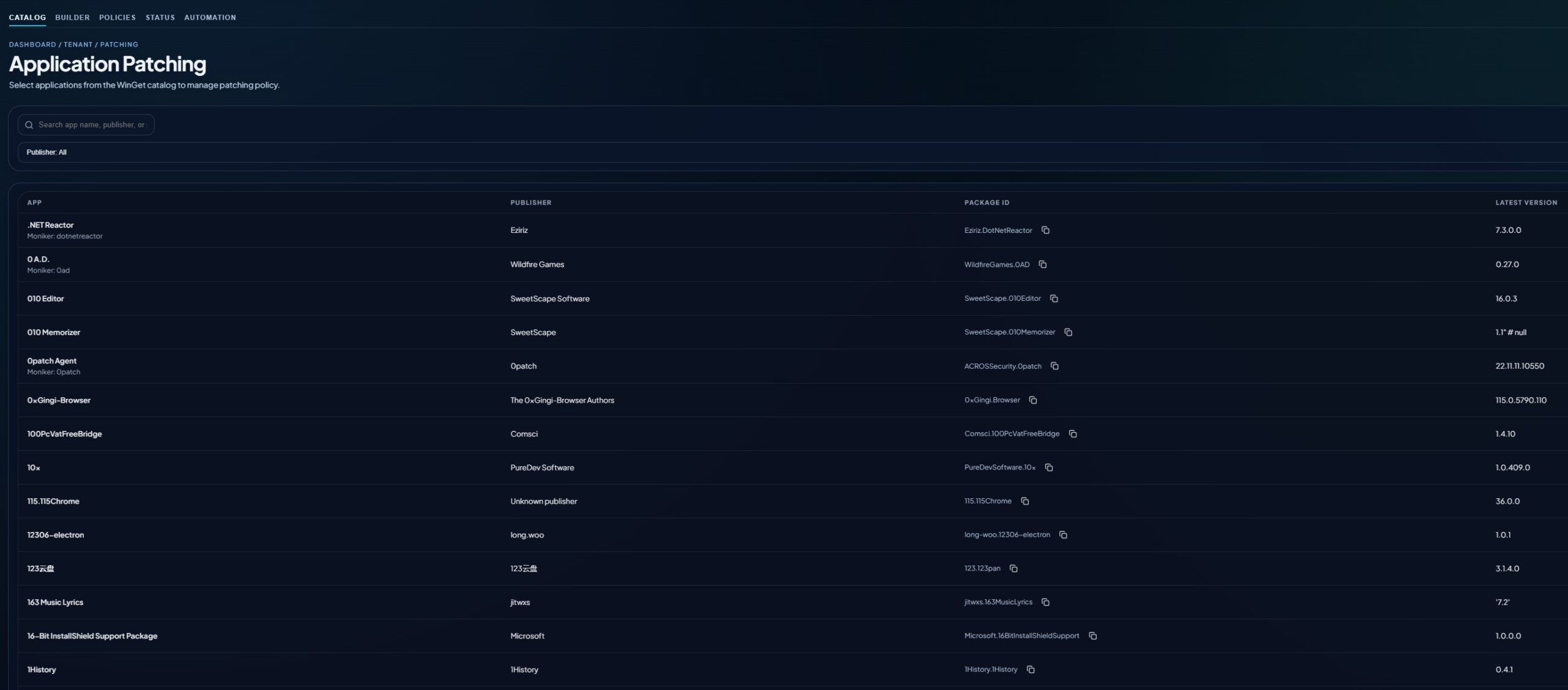
Application patching
Select applications from the WinGet catalogue and manage patching policy from one place. Search by app name, publisher or package ID, with the latest available version shown against each entry so you can see what is behind before you build the policy.
Licence optimisation
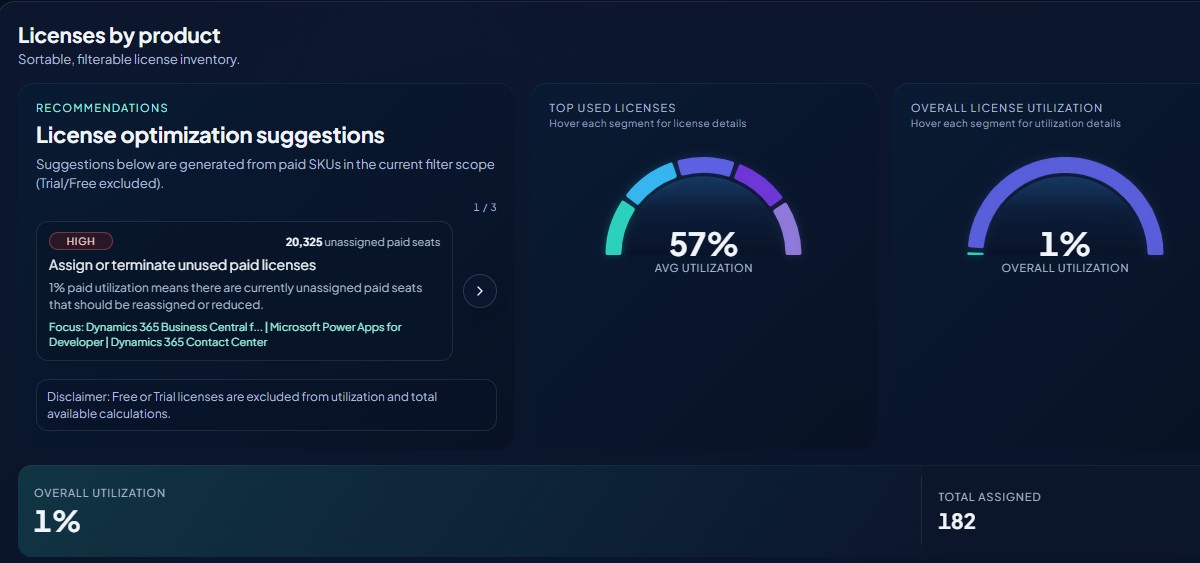
A sortable, filterable inventory of licences by product, with utilisation shown against seats assigned. Optimisation suggestions surface unassigned paid seats that should be reassigned or reduced, so spend is visible rather than discovered at renewal.
Built by Microsoft-certified engineers, not generalist developers. Clear Tenant was designed by the people who run these tenants every day, which is why it follows the workflows engineers actually use rather than the ones a product roadmap assumes.